 TurtleGit for Mac
Native Compare and Merge command toolbar
Baseline: TortoiseGit 7338078f8ddd924b8cddee35f512f2286072136d,
IDR_MAINFRAME toolbar in src/Resources/TortoiseMergeENG.rc, its ribbon artwork
and the existing MainFrm command handlers.
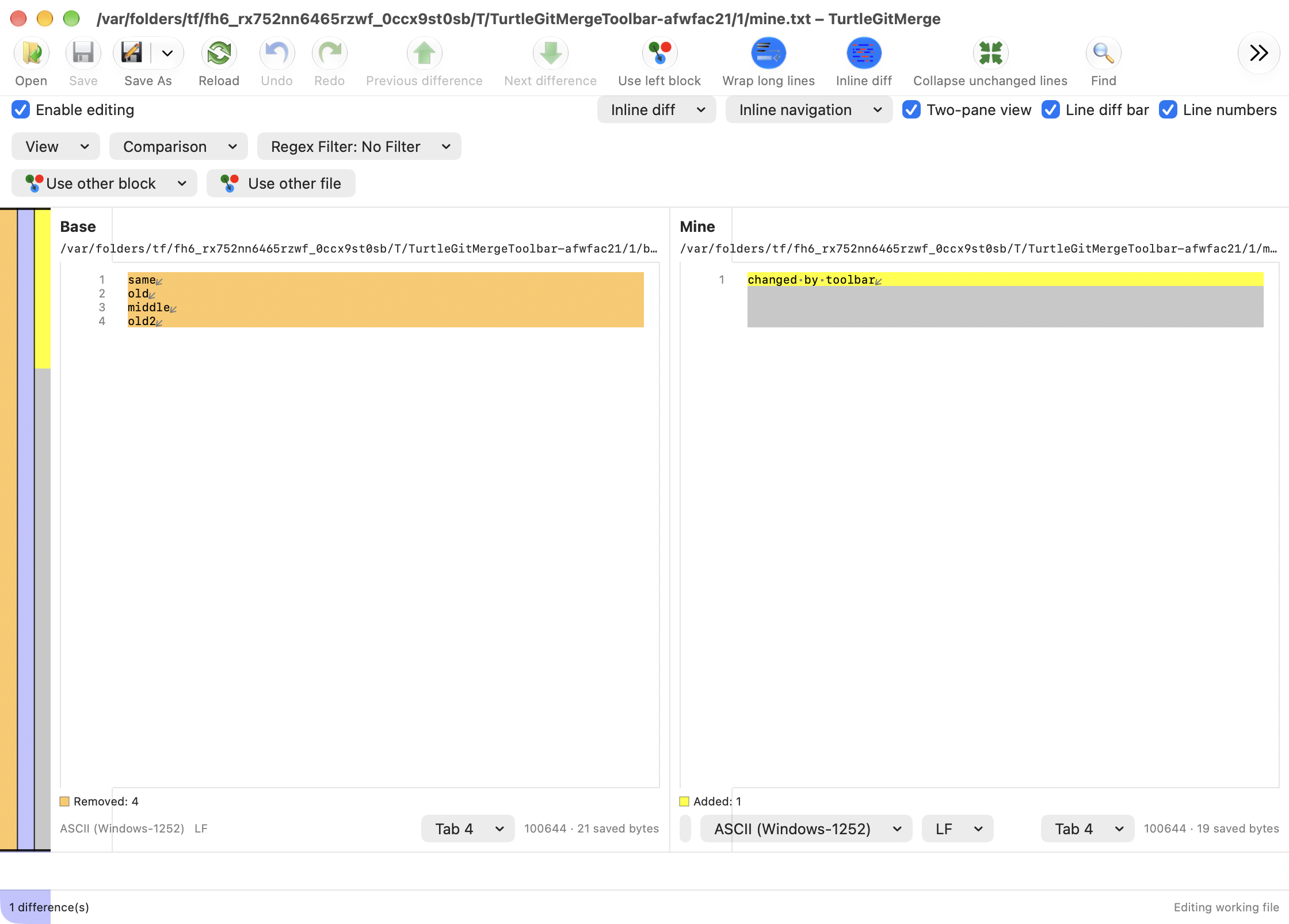
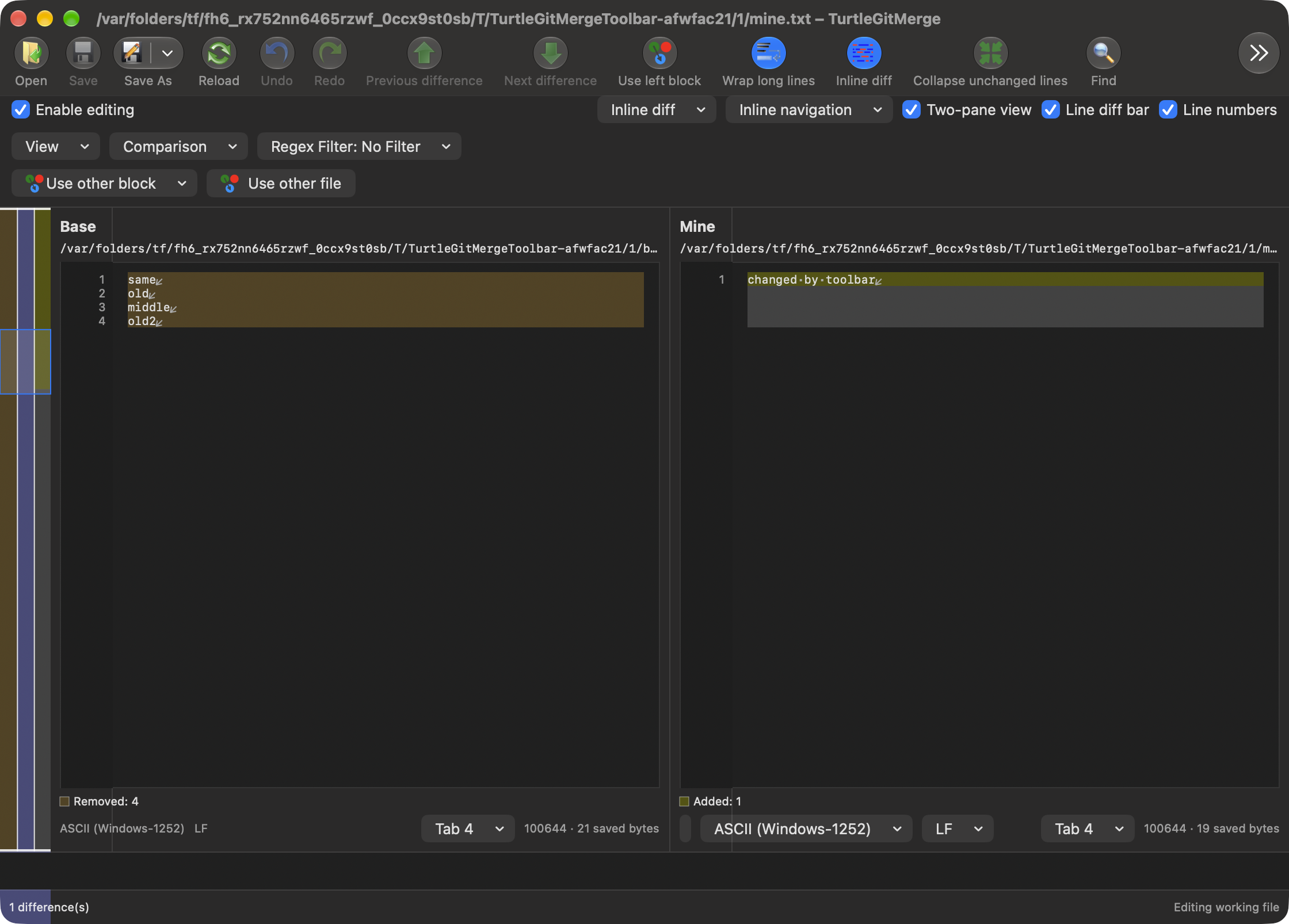
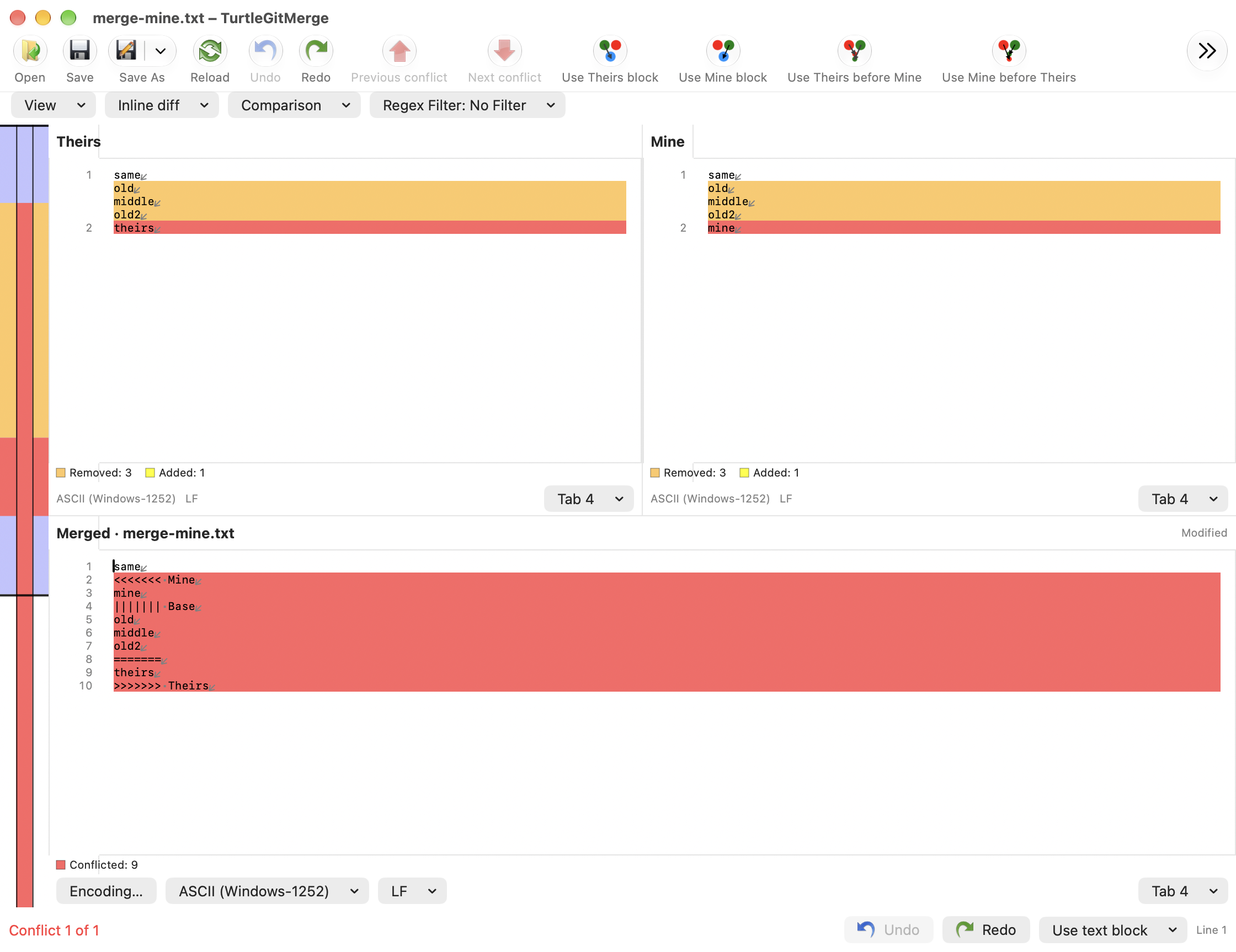
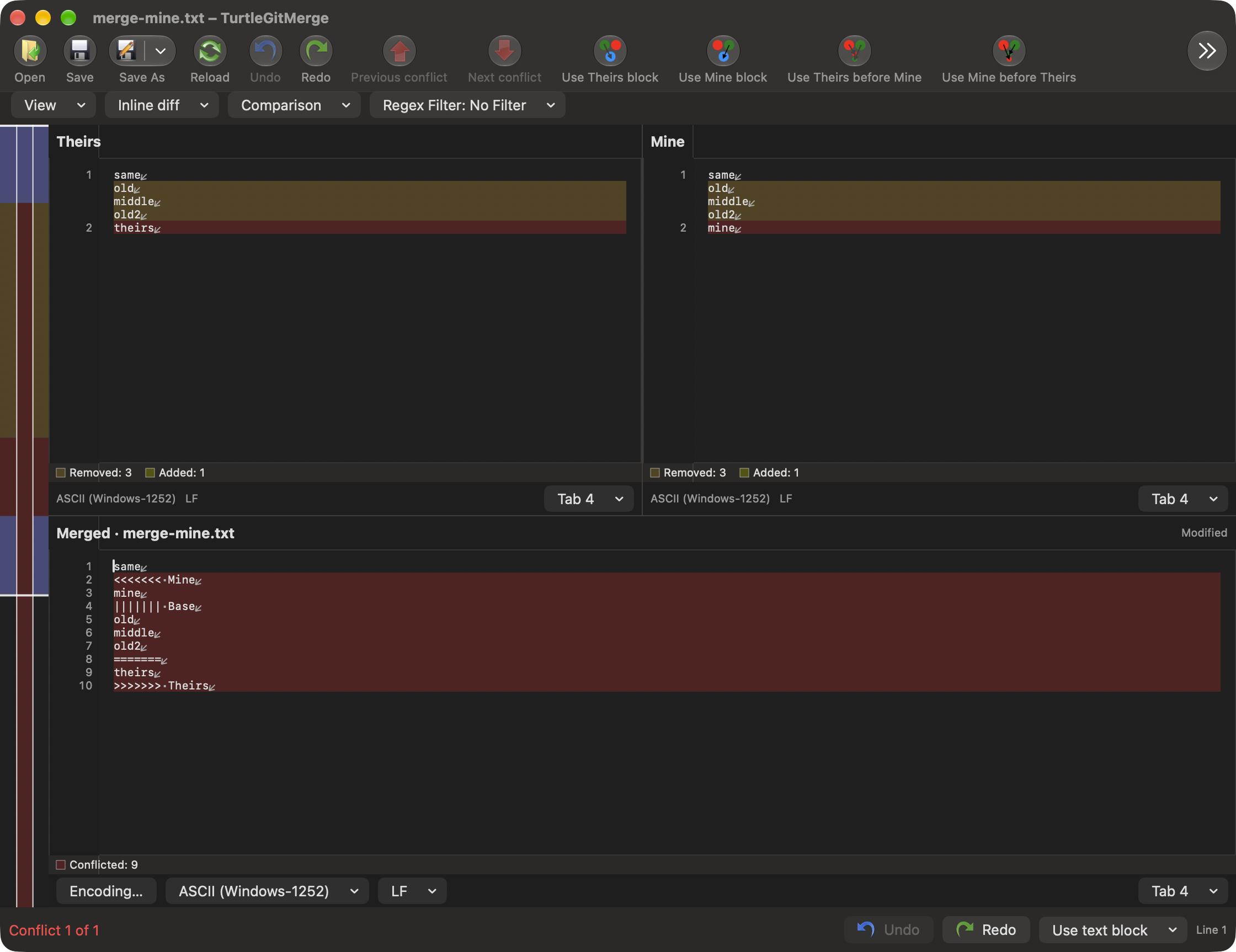
Both text editor owners now install an AppKit toolbar. The top content row is replaced when that toolbar is installed; detailed View/comparison/filter/format controls remain in the content. AppKit supplies labels, overflow, customization, Icon and Text/Icon Only modes and saved layouts. This is the macOS adaptation of the Windows toolbar/ribbon, not an MFC ribbon implementation or a new inactive Use Ribbons checkbox.
Open, Save, Reload, Undo and revision navigation keep the source relative groups. Two-pane difference arrows use the original green artwork; conflict arrows retain red. Existing source Save/Undo/Find/block-choice images are reused. Seven additional Open/navigation/wrap/whitespace/collapse/one-pane BMPs are copied unchanged with SHA-256 provenance; the shared decoder retains their original straight alpha. Native Save As, Redo, Find, patch creation and Base/source comparison additions retain existing workflows. Source-only/unsupported command variants are not silently mapped to a different Git operation.
Save As retains separate left/right targets in two-pane views. Conflict editors keep left/right/merged output and Continue resolving, plus a separate Compare sources dropdown. Defaults include the actions formerly present in the top row; items that do not fit remain in the native overflow menu. Palette commands add whitespace, inline-word, one-pane and folding controls. Toggle states follow the live model. Each window has a unique native toolbar identity. Only item order and display mode are saved by editor family in the owning preference store; private hosts write only their supplied store. Existing windows retain their own layouts. Native automatic global toolbar saving is disabled.
Every item, dropdown and overflow dispatch rechecks its owning model's busy, preparation, pending-choice, sheet and retirement gates. Automatic AppKit enabling is disabled to avoid reviving unavailable operations. Queued state refreshes read the current model and coalesce. Save, conflict choices and Undo use the existing owned workflows, without a parallel Git implementation.
Image comparison removes the text toolbar. Open replacement retires the old items and creates a toolbar bound to the surviving native window and new model. Closing an owner cancels observation, disables retained controls and discards actions. The fallback content row remains available in embedded/non-toolbar hosts.
Three icon/resource Core cases, the final Debug build and both native toolbar configurations passed. The retained Find/word-marking groups also passed with system and bundled Git. Initial failures, focused repairs and limits are in the toolbar record. Physical customization/overflow tracking, toolbar accessibility-client behavior, complete Windows ribbon/group/shortcut equivalence, full-window light/dark visual comparison and signed App Store acceptance remain open.
Toolbar layout can mount a prepared SwiftUI editor before Open adopts its window. Replacement owners therefore defer the initial read until the surviving window is bound; they do not borrow a cancelled read session from the temporary window. Close notifications also check the controller’s current native window. Native checks prove distinct replacement controllers and live document/toolbar binding.
The following unaltered compositor captures use private fixtures. They show the current native toolbar, overflow and source palette in both appearances; they do not certify every Ribbon command, physical interaction or conditional state.
View visibility and input exchange — October 16, 2026
The connected View family adds saved native Toolbar/Status Bar controls and source Switch artwork/dispatch in the comparison customization palette. Hidden toolbars retain their owner without fallback rows; native visibility updates the owning store and transfers to File/Open replacements. The eight-run grouped evidence retains the earlier native toolbar workflow. Optional new captures show faded toolbar icons after hide/show/replacement, so those frames are not published as accepted screenshots; physical appearance acceptance remains open.
The native command-menu continuation shares the same toolbar state/dispatch with active-window menus and adds native pane cycling. A hidden replacement toolbar receives saved visibility before attachment, with implicit transition animation disabled. The final affected menu workflow passes, but captured icons still fade even with Open enabled and an active window; this is not claimed as a rendering fix. See diagnostics and exact scope.
Rendering investigation — October 16, 2026
An owned initial/replacement capture diagnostic inspected original image pixels,
native button enabled state, view alpha, layer opacity and presentation opacity.
The replacement toolbar still appeared faded with full-opacity source images and
enabled controls. Public style reset, toolbar reattachment and redraw did not
restore the observed colors. These experiments are diagnostic-only; they add no
product rendering workaround. The reproducible runner is
scripts/diagnose-merge-toolbar-rendering.py; collection success does not certify
appearance parity. See the batch record.