TurtleGit for Mac
Inspecting and exporting a server certificate
Native Send Mail also offers Open certificate when an SMTP TLS certificate fails validation. See SMTP certificate review. Its inspector supports the same read-only viewing, fingerprint copying and DER/PEM export. The screenshots and historical verification below describe the SVN helper.
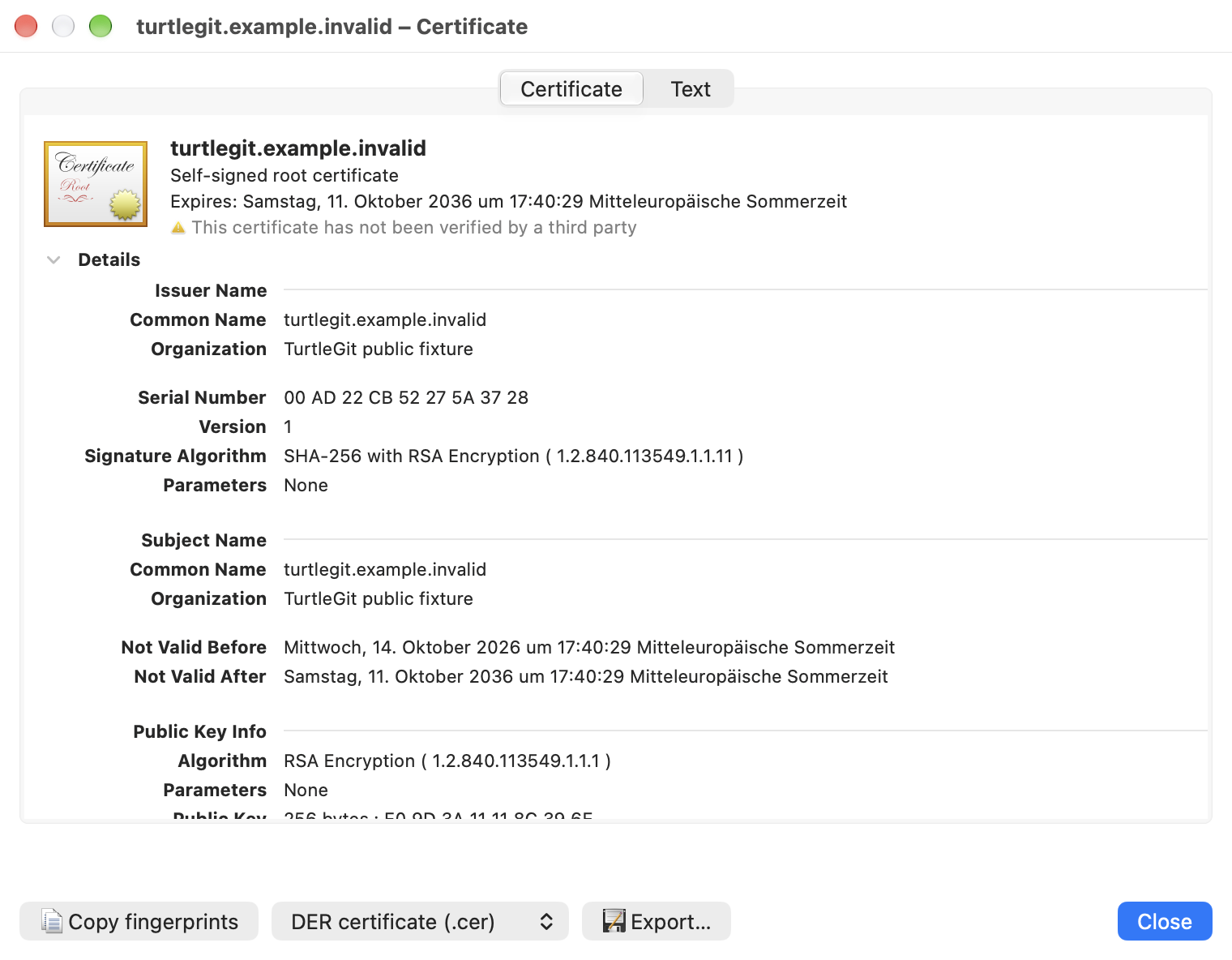
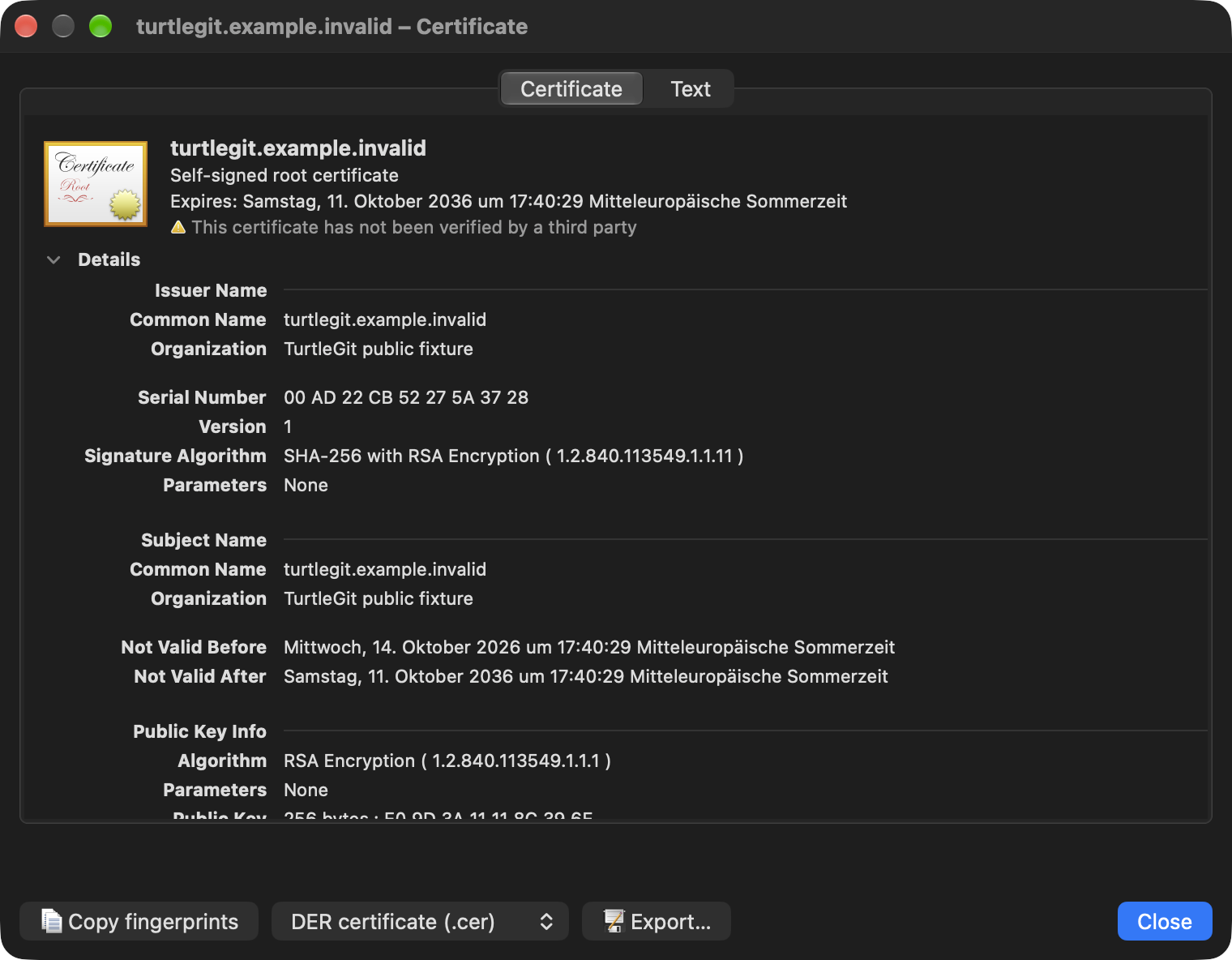
In SVN Certificate Check, choose Open certificate. The Certificate page uses macOS's expandable native certificate view for the subject, issuer, validity, public key, signature and extensions. The Text page retains the selectable Security.framework property report and both fingerprints. Certificate trust editing is disabled. Inspecting a certificate does not import it, change Keychain trust, or accept the SVN connection; return to Certificate Check to make that decision. The native display's certificate status is distinct from SVN's reported authentication failures.
Copy fingerprints copies the named SHA-1 and SHA-256 values. To save the public certificate, choose DER certificate (.cer) or PEM certificate (.pem), then Export…. A native Save panel selects the destination. DER preserves the exact certificate bytes; PEM contains the same bytes as 64-character Base64 rows inside the standard certificate delimiters. Neither format contains a private key. Cancelling the picker leaves files unchanged. Export errors remain in the inspector and can be retried. The chosen format is captured before the picker.
Closing the inspector or its authentication parent dismisses owned pickers and refuses their late callbacks. An export already accepted keeps its destination permission and finishes before the helper returns the authentication response. This avoids process exit abandoning an accepted save. Closing/rejecting the parent still returns only one rejection. No external certificate application is launched, and no Keychain import or trust-save action is offered.
Source relationship and acceptance
Pinned CheckCertificateDlg.cpp at
7338078f8ddd924b8cddee35f512f2286072136d writes the DER certificate and Shell
Opens the Windows certificate viewer. This workflow supplies native macOS
inspection and public-certificate export within the owned authentication window.
The existing source certificate icon and parent rejection/temporary/permanent
choices remain separate. Requests without DER retain their reported fingerprint
and cannot open the inspector.
The grouped checkpoint passed seven focused Core cases and one combined native authentication/inspector receiver. The initial build exposed an accidental Core framework dependency in the standalone helper; source-level model/artwork/scope wiring was corrected and the Debug repair passed with the existing runtime audit intact. The passed Core cases were not repeated. The receiver was reaped and independently absent. Both raw native captures below were individually reviewed.
Live SVN/TLS, complete certificate chains, signed helper/save grants, physical keyboard/VoiceOver and every native certificate extension/disclosure layout remain separate acceptance work. The single DER leaf supplied by the SVN callback does not supply a complete chain.